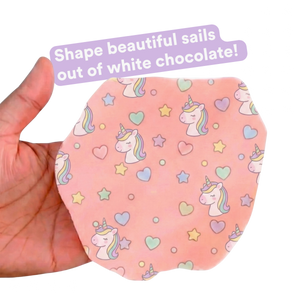
Note: These sheets work best if applied onto a thin layer of white chocolate. So if you use dark chocolate we recommend applying a thin layer of white chocolate (onto which you apply the printed Miracle Transfer Sheet) onto the dark chocolate.
GENERAL DIRECTIONS:
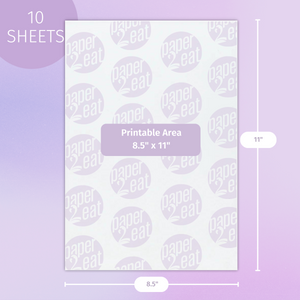
1) Design a file on the computer, according to the page size, and the desired print.
2) Place the Miracle Transfer Sheet in the printer, so that the picture will be printed on the rough side.
3) Set the printer definition at ”high quality envelope.” Text prints in mirror writing.
4) Wait for complete drying of the print (about 15 minutes, depending on the amount of color in the print).
5) Place the printed Miracle Transfer Sheet on a flat surface (recommended under a silicone mold).
FOR CHOCOLATE AND CHOCOLATE COMPOUND:
A) Follow steps 1-5 in “General Directions” then pour the melted chocolate or chocolate compound.
- Chocolate substitute should be melted to a temperature of about 50° C (122° F )
- Chocolate should be tempered: If there is no tempering machine, chocolate can be tempered by cautious melting (for 20-30 seconds each time) the chocolate in microwave, until it reaches a uniform liquid texture at a temperature of 108° - 111° F (42 - 44° C).
B) To cool the chocolate to a working temp, add chocolate chips to the hot chocolate bowl (about 50g chips to 150g melted chocolate), and stir, until the batter is uniform without lumps, at 90° - 95° F (32 - 35° C). The amount of chips to add depends on the amount of chocolate melted.
- It is recommended to use a whipped cream bag.
- Avoid contact with the print.
- If using a mold, the excess chocolate must be cleaned with a card.
C) Leave the side with the chocolate for 5 minutes at room temperature.
D) Put in the refrigerator for about 20 minutes, until the chocolate is completely solidified.
E) Remove from the fridge, carefully turn over and peel off of the sheet.
F) Store remaining sheets tightly closed in a dry place at 59° - 68° F (15° - 20° C).
FOR ROYAL ICING:
A)Follow steps 1-5 in “General Directions”
B)Make your royal icing, the thicker the better
C)Outline your images with the royal icing, fill in the images with the icing and smooth it out as much as possible so that it's flat on the surface and that there's no air gaps between the royal icing and the print on sheet.
D) Place the sheet (with the icing on it) in the oven at 100°F to dehydrate the icing for about an hour.
E) Pull away the sheet away from the royal icing slowly from a corner of the sheet. Pro tip: If you start pulling off the sheet and notice that part of the image is left on the sheet, put the sheet pack on the royal icing and put in back in the oven once last time until the rest of that image transfers to the royal icing.
FOR MERINGUE:
A) Follow steps 1-5 in “General Directions” then preheat oven to 158° - 167° F (70 - 75° C).
B) Make the meringue.
C) Sprinkle the prepared meringue on the printed side.
D) Put in oven and bake for 2 hours.
- If there is steam on the stove door, a slot for removing the steam should be opened.
E) Remove from the oven, and disconnect the meringue from the sheet.
F) Store remaining sheets tightly closed in a dry place at 59° - 68° F (15° - 20° C).
FOR ISOMALT:
A) Follow steps 1-5 in “General Directions” then prepare the isomalt.
B) Pour the dissolved material onto the printed side. The material is very hot, about 302°F (150 °C)! So the pouring should be done very carefully, either directly from the pot or using a paper or silicone funnel.
C) Wait at room temperature for about an hour until the material hardens completely and is not sticky.
D) Carefully release the candies from the sheet`.
E) Store the remaining pages tightly closed in a dry place at 59 - 68°F (15-20°C).